Disc golf skins, made quick
Get Quick Skins on your phone
Install it once like a real app — no App Store, no account — then import a UDisc round to see instant skins payouts on the course.
Add Quick Skins to your home screen -
and have your cash figured out within 15 seconds.
Pick your device.
- Open this page in Safari (Add to Home Screen only works from Safari, not Chrome, on iOS).
- Tap the Share icon ⬆️□ in the toolbar.
- Scroll down and tap Add to Home Screen.
- Tap Add in the top-right corner.
- Open this page in Chrome.
- Tap the ⋮ menu in the top-right corner.
- Tap Install app (or Add to Home screen).
- Confirm by tapping Install.
- Look for the install icon ⊕ at the right edge of the address bar.
- Click it, then click Install.
- Quick Skins opens in its own window, separate from your browser tabs.
Tap the button — your browser will handle the rest. On iPhone/iPad, follow the Safari steps above instead.
Looks like you're already using the installed app. Nice — no extra steps needed.
Quick Skins works in 3 steps
Finish your round in UDisc
Click on the Round Menu (top right) and select Export to CSV.
Share it to Quick Skins
For most phones, share directly from UDisc to Quick Skins.
Otherwise you can save the file for in-app upload.
Get instant payouts
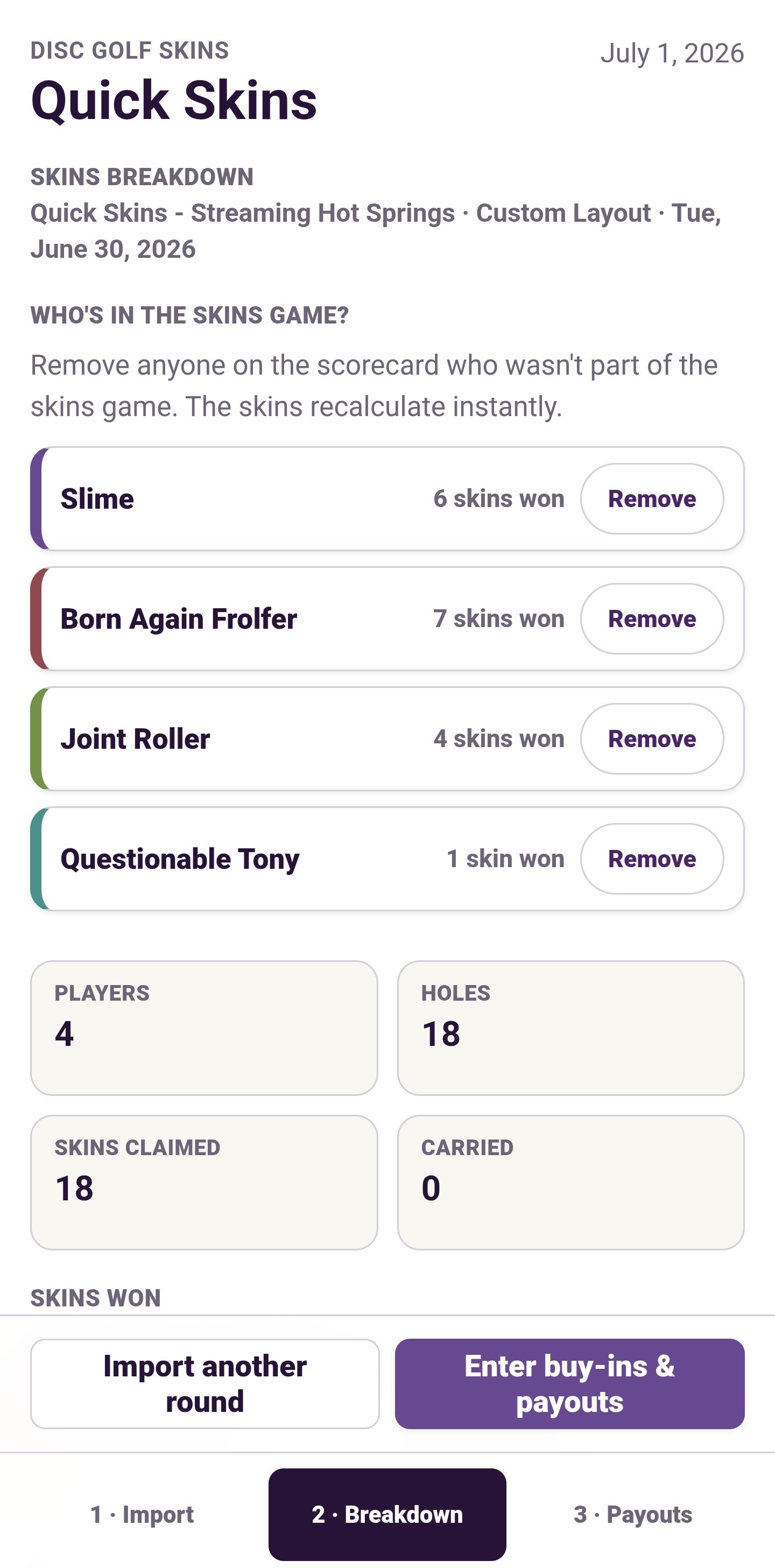
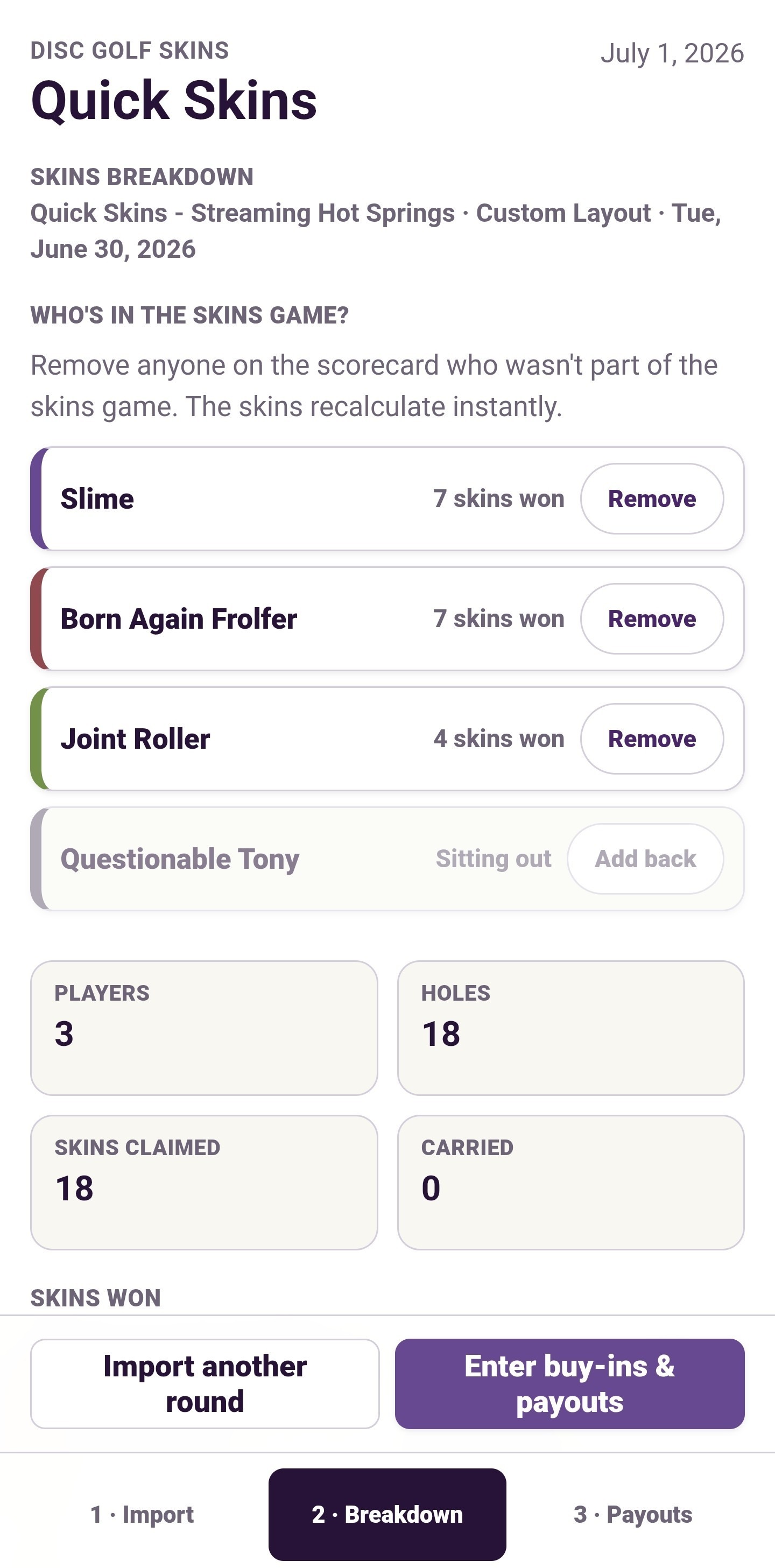
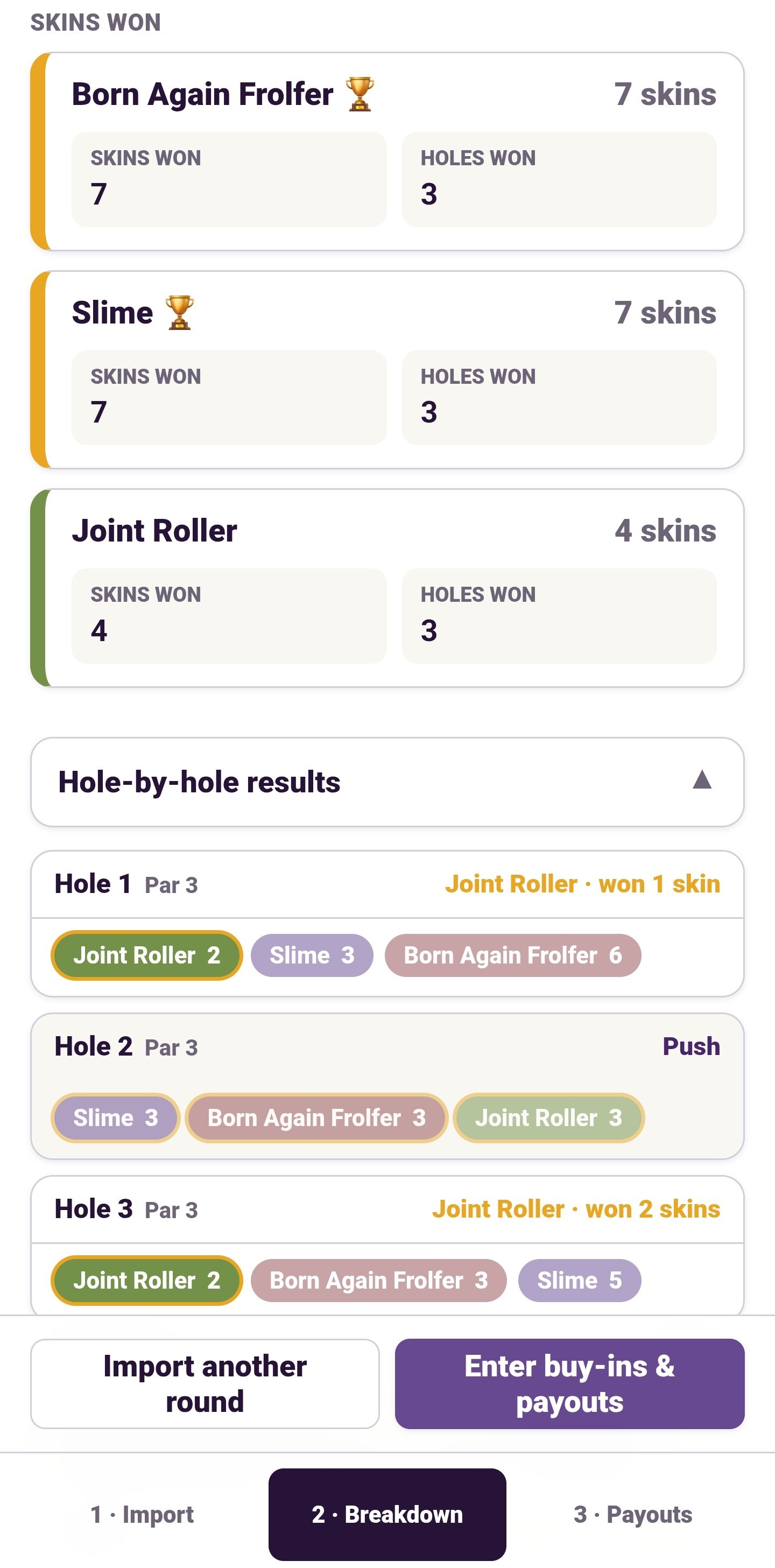
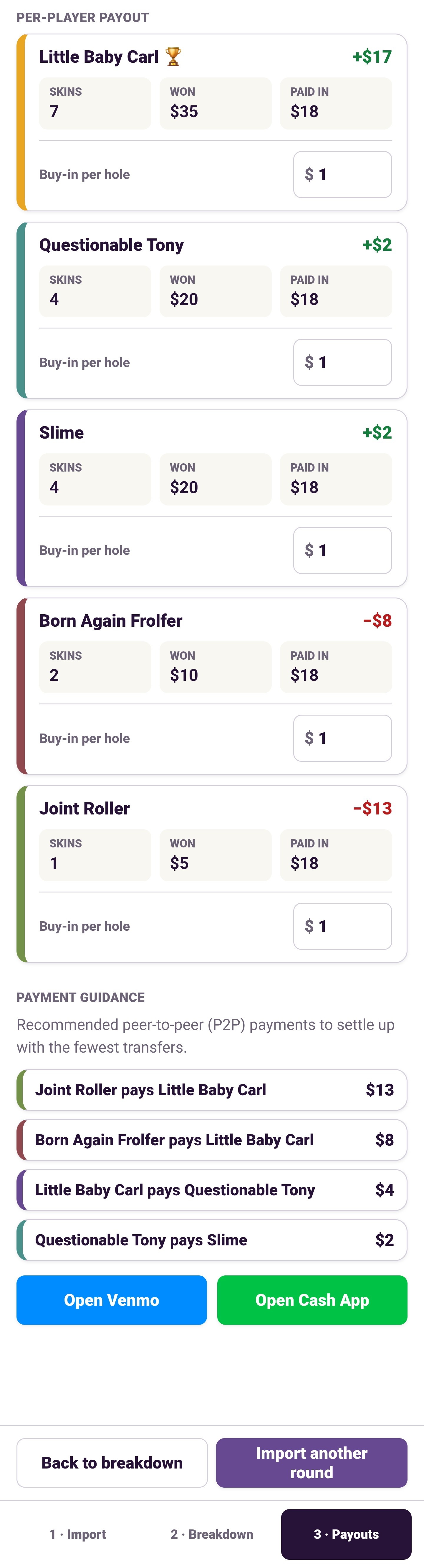
Immediately get a breakdown for who won how many skins.
Review hole by hole breakdowns or skip ahead to payouts.
Under the hood
Accessing the UDisc Round Menu and selecting Export to CSV also allows for saving of the score card.
Save the .csv file on your phone to your downloads or any other easy to access folder.
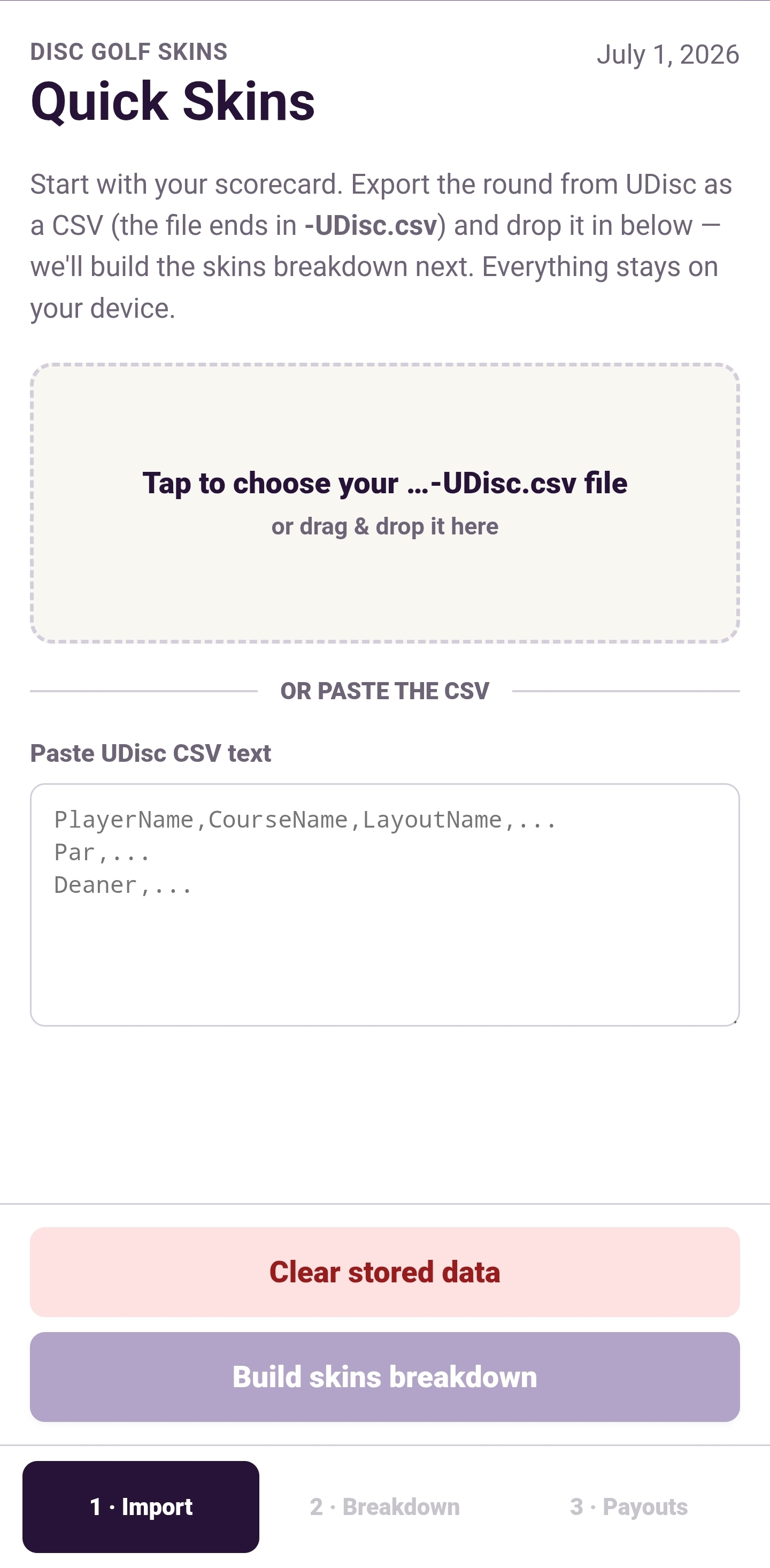
Use Quick Skins file locator (Tap to choose...) to select the score card you just saved.
Otherwise somehow type in or copy/paste the round details. Good luck with that.
Questions
Is this a real app? Do I need the App Store?
No store needed. Quick Skins is a website that installs like an app (a "PWA"). Add it to your home screen once and it opens full-screen, just like any other app icon.
Does it work without service on the course?
Once you've installed it and opened it at least once, it keeps working offline.
Is it free?
Yes — no sign-up, no subscription.
Seriously with the Venmo and Cashapp?
Yes — no referral link or anything.